

Create your digital guidebook with upsell store
Create my guidebook ->Most repetitive Airbnb host messages are always the same: check-in, Wi-Fi, parking, checkout, local recommendations, and small stay questions. The fix is not to send faster copy-paste replies, but to give guests one clear, reopenable place where those answers live.
That is why so many hosts feel like they are sending the same messages every day.
The useful distinction is simple: messages are good for timing, but they are weak as a long-term information system. A cleaner setup gives guests one source of truth they can reopen before arrival, during the stay, and before checkout.
Quick Answer: If you type the same answer to three different guests, that answer belongs in a digital guidebook. Move instructions for parking, door codes, Wi-Fi, and trash disposal out of the Airbnb chat and into a single link guests can check whenever they need.
| Repeated Airbnb host message | What the guest really needs | Better permanent home |
|---|---|---|
| What time can we check in? | A visible arrival rule | Arrival section |
| Can we check in early? | A policy, not negotiation | Early check-in rule |
| What is the exact address? | A copyable address with context | Access instructions |
| Where should we park? | Clear parking options | Parking section |
| How do we get the keys? | Step-by-step entry | Self check-in guide |
| The code is not working | A fallback path | Access troubleshooting |
| What is the Wi-Fi password? | Fast in-property access | Wi-Fi block or QR code |
| How does the heating or AC work? | Short appliance instructions | Equipment section |
| Is there a hair dryer or coffee maker? | A reliable amenities list | Practical info section |
| What do we do before leaving? | A simple checkout checklist | Departure section |
| Can we leave luggage? | A clear edge-case policy | Luggage rule |
| Can we check out late? | Conditions and price if relevant | Late checkout option |
| Any restaurant recommendations? | Curated local choices | Local recommendations |
| Do you know a taxi or transfer? | Useful local services | Services section |
| Sorry to bother you, but... | One small answer they cannot find | Searchable guest guide |
The real issue is information placement
When a guest asks for the Wi-Fi password after you already sent it, the first reaction is usually frustration.
The operator view is more useful: the information was sent, but it was not placed where the guest needed it.
An Airbnb message thread is chronological. It is designed around time. Guests scroll through it in the order things were sent, not in the order they need answers.
A stay, however, is not chronological in the same neat way. A guest may need parking before check-in, Wi-Fi after opening the door, heating instructions at midnight, and checkout rules three days later.
That is why a digital guest guidebook works better than one long pre-arrival message for many recurring questions. It gives practical information a stable place to live.
The same logic applies inside the property. A guest QR code near the entrance or in the living room can turn a scattered set of messages into one clear access point.
Decision rule
Put the answer where the question happens.
- before arrival -> arrival guide
- at the door -> access instructions or QR code
- inside the property -> Wi-Fi and equipment section
- before departure -> checkout checklist
- repeated exceptions -> written policy or paid option
The 15 messages to stop treating as one-off replies
The mistake is to treat every repeated message as a new conversation.
Some messages are real hospitality. A guest has a specific issue, a special context, or an urgent problem. Those deserve a personal answer.
But many Airbnb host messages are not really conversations. They are missing infrastructure.
Arrival and access messages
Arrival questions create the most stress because guests are moving through the real world. They may be tired, offline, carrying luggage, trying to park, or standing outside the wrong door.
The messages to systemize first are usually:
- "What time can we check in?"
- "What is the exact address?"
- "Where should we park?"
- "How do we get the keys?"
- "The code is not working."
These answers should not live only in a pre-arrival message. They need a clear sequence, visual landmarks if useful, and a backup contact if access fails.
The practical standard is not beauty. It is impossible to misunderstand while tired.
In-stay practical messages
Once guests are inside, their questions become smaller but more disruptive.
They ask for Wi-Fi, heating, AC, coffee machine instructions, towels, trash rules, TV access, or whether a specific amenity exists.
The fix is not a longer welcome message. The fix is a practical in-property information layer with short answers guests can find from their phone.
For equipment, keep the writing direct:
- what the item is called
- where it is located
- how to use it in 2 to 4 steps
- what not to touch if there is a risk
- what to do if it does not work
This is where small phrasing matters. "Press the round black button once" is stronger than "turn on the appliance as usual" because it removes interpretation.
Policy and edge-case messages
Early check-in, late checkout, luggage drop-off, extra guests, pets, and parking exceptions become draining when you decide them from scratch every time.
The guest is not wrong to ask. The problem is that the rule is not visible.
A stronger setup gives each recurring request a baseline answer:
- available or not available
- free or paid
- automatic or subject to approval
- how far in advance guests should ask
- what happens when the cleaning schedule is tight
If the request can become a paid option, make the offer clear instead of negotiating manually in the thread. A simple services store for add-ons can make late checkout, luggage drop-off, breakfast baskets, transfers, or local services easier to present without sounding pushy.
The rule of thumb: if the same exception appears every month, it deserves a default answer.
Local recommendation messages
Local recommendations feel personal, so hosts often keep them in their head.
That works for one property and a few stays. It breaks when the same questions come back across seasons, team members, or multiple listings.
The useful move is to curate, not overload.
Guests do not need 40 restaurants. They need a few good choices for real situations:
- easy breakfast
- reliable dinner
- groceries nearby
- pharmacy
- rainy day idea
- family-friendly activity
- taxi or transfer
- one personal favorite
This keeps the recommendation useful while reducing the need to improvise the same answer again.
How to reduce guest messages without making hospitality feel automated
Reducing repetitive messages does not mean removing warmth.
It means separating personal communication from operational information.
Warmth belongs in the tone, the welcome, the check-in message, and the way you handle real issues. Operational information belongs in a place guests can reopen without asking you.
The cleanest setup usually has two layers.
The first layer is the message sequence. It tells guests what is happening now: booking confirmed, arrival coming soon, checkout tomorrow.
The second layer is the source of truth. It stores the details: address, parking, codes, Wi-Fi, rules, equipment, recommendations, services, and checkout steps.
Messages should guide. The guide should answer.
Common pattern
The more information you force into one message, the less useful that message becomes.
Keep the message short, then point to the place where the full answer lives.
For example, instead of sending a large pre-arrival wall of text, use a short message like:
That keeps the human door open while removing the repeated operational work.
What to build once, then reuse across every stay
The fastest way to reduce repetitive Airbnb guest messages is not to automate everything at once.
Start with the answers you already type often.
For one listing, that may be five core sections. For a property manager team, it may become a repeatable information template across every property.
The operator benefit is not only fewer messages. It is less drift.
Drift happens when the Wi-Fi password changes in one saved reply but not in the PDF, when parking instructions are updated in WhatsApp but not in Airbnb, or when one team member gives a different late checkout answer than another.
One source of truth reduces that maintenance problem.
Build this first
Create one reliable home for the five answers guests usually need fastest.
- arrival and access
- parking
- Wi-Fi
- checkout
- emergency or fallback contact
Then add the second layer:
- equipment notes
- amenities list
- house rules
- local recommendations
- paid services or optional extras
- luggage, early check-in, and late checkout policies
This structure is simple enough for a single host and disciplined enough for a team managing multiple units.
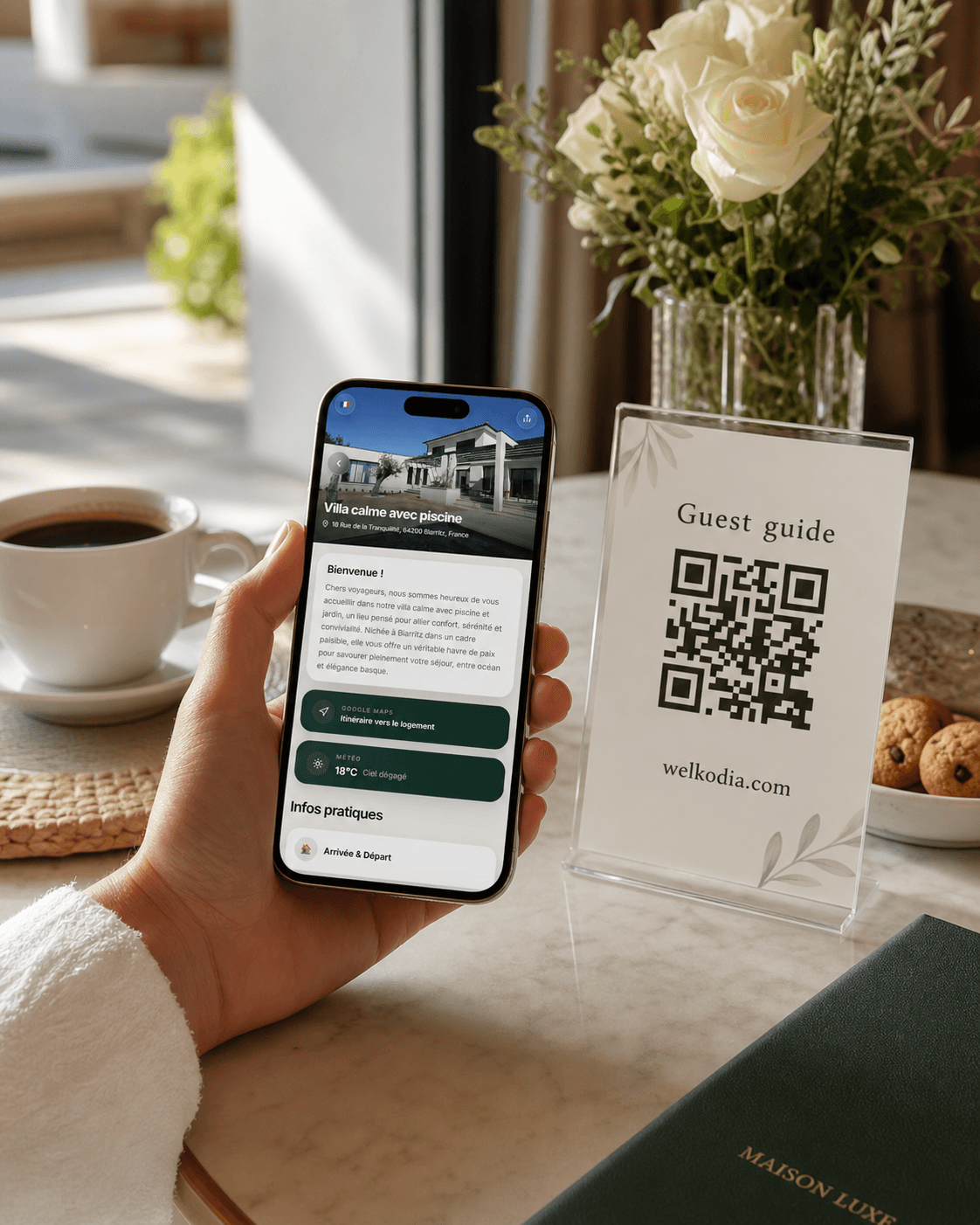
Offer your guests the opportunity to purchase your add-ons
Create a digital guidebook with arrival instructions, Wi-Fi, house rules, local tips, and optional services.
What to fix this week
Do not start by rewriting every template.
Start with evidence from your inbox.
Open the last 10 to 20 guest conversations and look for repeated questions. Group them by moment: before arrival, at the door, inside the property, before checkout, after departure.
Then turn the repeated answers into a guest information system.
- 1.Pick the five questions you answer most often.
- 2.Give each answer one permanent home.
- 3.Shorten messages so they point to that home.
- 4.Add a QR code where in-property questions happen.
- 5.Turn recurring exceptions into visible policies.
- 6.Review the setup after the next few stays.
The goal is not to stop every guest message. Some messages are useful, personal, and worth answering.
The goal is to stop treating basic repeat questions as fresh work every time.
If guests keep asking for the same information, the answer probably needs a better location. Once the right information has one stable home, both sides feel the difference: guests find answers faster, and hosts spend less time repeating themselves.
FAQ
What kinds of messages are repeated most often?
The article highlights check-in, Wi-Fi, parking, checkout, local recommendations, and small stay questions.
Why do guests still ask for information that was already sent?
Because it was sent in the wrong place or at the wrong moment, not necessarily because the guest refused to read it.
What is the core difference between messages and a guide?
Messages are good for timing, while a guide acts as the source of truth guests can reopen whenever the need appears.
Which questions should hosts systemize first?
The article recommends starting with arrival and access, parking, Wi-Fi, checkout, and emergency or fallback contact details.
Does reducing repeated messages make hospitality colder?
No. The article argues that warmth should stay in tone and real issue-handling, while operational information moves into a stable system.
What should a host do this week to start?
Review the last 10 to 20 guest conversations, group repeated questions by stay moment, and give the most common answers one permanent home.