

Create your digital guidebook with upsell store
Create my guidebook ->A guest asks for the Wi-Fi at 11:48 p.m. The QR code is sitting right there on the table. It still did not help.
The problem is not the QR code itself. The problem is that it often points to content that is too vague, too long, or badly placed.
In an Airbnb, a useful QR code is not decoration. It is an access point to a specific action: find, understand, request, follow a rule, contact the right person, or pay correctly when the platform allows it.
Quick Answer: Place QR codes exactly where the guest encounters the problem. Put a QR code on the router that says "Scan to connect to Wi-Fi," or one on the washing machine that says "Scan for video instructions." When they scan it, send them directly to that specific answer.
A useful QR code does not just make people read. It makes them move
Many hosts think the job is done once they print a code and write "Scan me."
In practice, that rarely works. Guests do not scan because your setup looks clever. They scan when they have an immediate question and believe the answer will appear faster than texting you.
The QR code is not the system. It is the doorway into the system.
If the destination is a heavy PDF, a long message stuffed with everything, or a page with no obvious next step, you have not reduced friction. You have just relocated it.
| Stay moment | QR code label | Useful destination | Guest action |
|---|---|---|---|
| Arrival | Scan for Wi-Fi, parking, and access | clear arrival page | get in and settle without messaging |
| Kitchen | Scan for appliances, coffee, and trash | kitchen page | use the property correctly |
| Hot tub or pool | Scan before use | rules, safety, prep steps | follow the right process |
| During the stay | Scan for restaurants, taxis, and activities | local recommendations | choose faster |
| Departure | Scan before you leave | checkout page | leave without doubt or missed steps |
Why most Airbnb QR codes fail
The weak diagnosis is that guests do not read anything.
The better diagnosis is that guests do not willingly read long information sent too early in a channel they are not reopening at the right moment.
The pre-arrival message may exist. The house manual may exist too. But when the guest is standing at the door with bags in hand, what they need is an answer they can see right now.
The real mechanism depends on four simple conditions:
- 1.The guest sees the QR code at the exact moment the question appears.
- 2.The label gives them a concrete reason to scan.
- 3.The page opens fast on mobile.
- 4.The next action is obvious.
If even one link in that chain breaks, the guest falls back to the fastest habit available: messaging you.
A QR code does not reduce messages because it exists. It reduces messages when it answers faster than you do.
The real issue is moment-of-need access
Guest information rarely fails because it was never sent.
It fails because it does not live in the right place when the need appears.
An entryway QR code can help guests reopen access steps, parking details, Wi-Fi, and key contacts. A kitchen QR code can absorb questions about the coffee machine, trash, oven, or nearby groceries. A departure QR code near the door can remove a surprising amount of checkout uncertainty.
The important distinction is this: a general QR code guides, but a contextual QR code unlocks.
The framework to use first
Start with one main QR code for the full guidebook, then add only a few contextual QR codes where friction clearly repeats.
- entryway for access, parking, Wi-Fi, and fallback contacts
- kitchen for appliances, coffee, trash, and groceries
- pool or hot tub area for rules and prep
- bedroom or living area for Wi-Fi, local tips, and useful services
- exit area for checkout steps
The best QR codes trigger very concrete guest actions
The point is not to make guests read an entire document. The point is to help them move forward without unnecessary hesitation.
The highest-value actions are not always paid ones. Often the biggest value comes from what you prevent: misuse of the property, unclear checkout, staff interruptions, repeated recommendation messages, or arrival stress that hurts the first impression.
These are usually worth structuring:
- finding Wi-Fi, parking, and access instructions
- understanding a house rule or sensitive procedure
- reopening local recommendations during the stay
- requesting help or reporting a problem clearly
- checking departure steps at checkout
- requesting a clear extra such as late checkout, a transfer, or a mid-stay clean
The test is simple: if you answer the same request again and again, it is no longer an exception. It is a badly structured workflow.
Where to place QR codes in an Airbnb
The same QR code can look smart in Canva and still be useless inside the property.
Its performance depends heavily on where it appears. A code hidden in a corner, printed too small, or placed far from the problem creates very little action. Basic hospitality QR guidance points in the opposite direction: clear signage, visible placement, and telling guests beforehand what the code is for.
Bitly's hospitality QR examples make the same practical points: place QR codes in visible, high-traffic areas, and explain the check-in or usage flow before guests arrive.
In practice:
- at the entrance: "Scan for Wi-Fi, parking, checkout, and useful contacts"
- in the kitchen: "Scan for appliances, trash, coffee, and nearby groceries"
- near the hot tub: "Scan before use"
- near the exit: "Scan before you leave"
- in a calm common area: "Scan for restaurants, beaches, taxis, and rainy-day ideas"
The real improvement is not visual. It is editorial. "Scan here for more information" is weak. "Scan for Wi-Fi, checkout, and local tips" gives the guest a reason to act.
Simple rule
If the label does not explain clearly what the guest gets by scanning, the QR code is probably too vague.
One main QR code is rarely enough on its own
One central QR code can be very useful. It is often the best starting point, especially if it leads to a clean, mobile-first digital guidebook that guests can reopen easily.
But assuming that one code on the fridge will solve every friction point is usually a mistake.
Some questions belong to a specific place. Guests do not look for hot tub rules from the entryway. They look for them while standing next to the hot tub. They do not think about trash sorting from the bedroom. They think about it in the kitchen or while taking trash out.
That is why the stronger setup is usually:
- 1.one main QR code for the full guide
- 2.a few contextual QR codes near real friction points
- 3.no decorative multiplication without a clear job
If your main support is still a PDF, the digital guidebook comparison shows why that format quickly becomes too heavy for reopenable mobile use.
Be careful with Airbnb payment, review, and app rules
QR codes are useful for routing guest actions. They should not push you into risky workflows.
According to Airbnb's official Off-Platform and Fee Transparency Policy, reservation-related payments should not be requested off platform. Airbnb also states in its help article on hosts asking for payment outside Airbnb that payment for optional amenities should be handled on Airbnb through the Resolution Center. The same policy says hosts may not use off-Airbnb surveys or review requests for an Airbnb stay, except in narrow approved hotel-partner situations.
Airbnb also says in that same official policy that listings must stay accessible without requiring guests to create a separate external account or install a third-party app, even though apps that facilitate the stay can be offered as optional tools.
Airbnb policy checkpoint
Use QR codes to clarify a request, not to bypass the platform's rules.
- keep optional Airbnb-stay payments on Airbnb when the reservation is involved
- do not use a QR code to push guests toward off-Airbnb reviews or surveys
- do not require a third-party app or account for entry or essential stay information
This distinction matters: request flow is not payment flow. A QR code can start a late checkout or transfer request. The payment step still has to follow the right platform rule.
The system behind the QR code matters more than the QR code
When a QR code works well, it is almost never because of the printed square itself.
It works because it opens into a clear guest path: arrival page, practical guide, local recommendations, service request, problem-reporting flow, or checkout checklist.
That is exactly where a guest QR code becomes useful inside a larger operating system. The code gives the physical access point. The digital guidebook gives the stable information layer. And if you turn repeated guest requests into visible offers, a services store can keep those extras readable, with names, availability, and clear rules. The same entry point can also help recover the next stay, as explained in our article on capturing happy guests with direct repeat bookings.
If you also want the format comparison behind that logic, the article on digital guidebook vs guest app vs PDF is the natural companion.
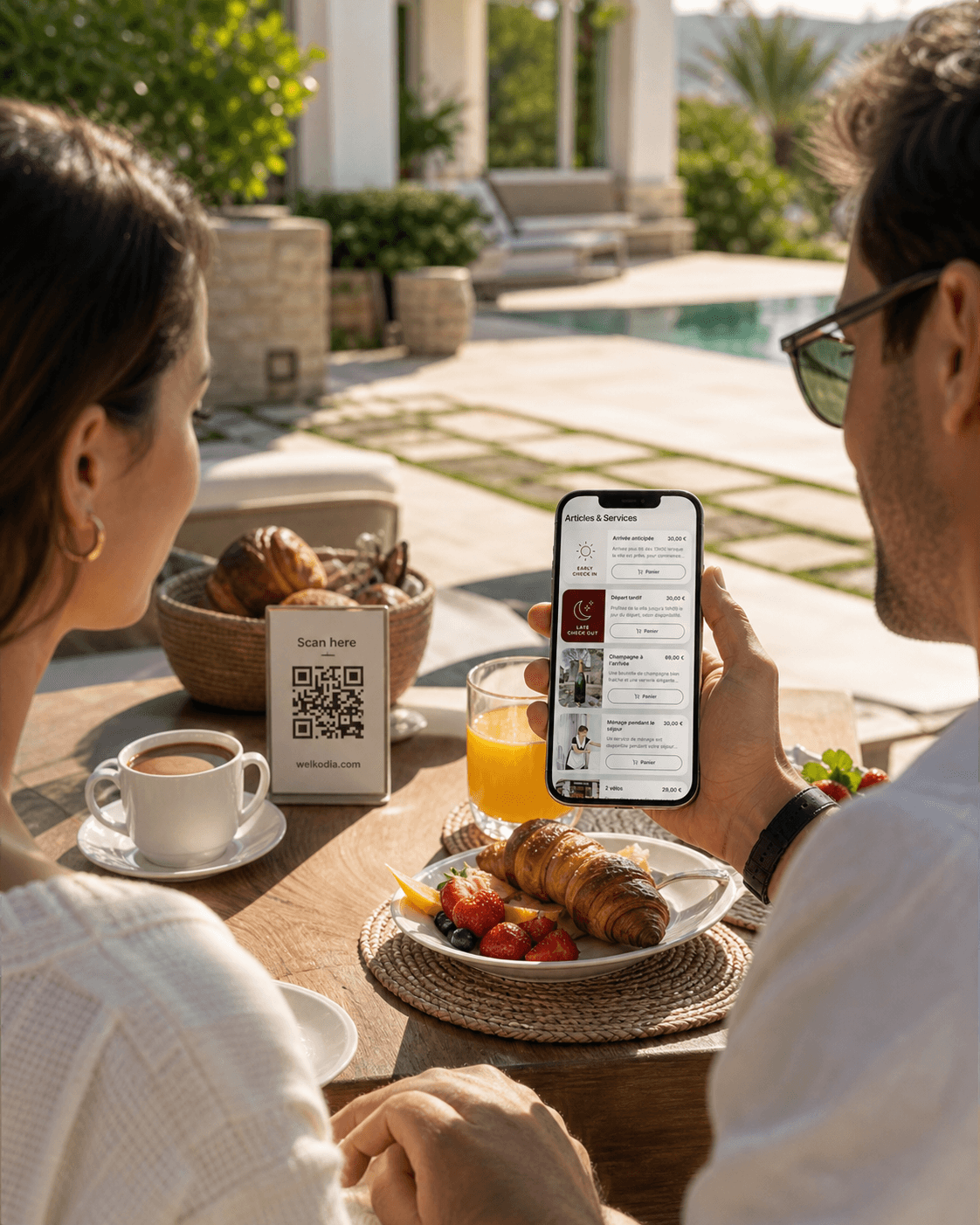
Turn every stay into extra revenue
Propose services such as early check-in, late check-out, kits, transfers, and local services inside your guidebook.
The goal is not more scans. It is less hesitation
A strong Airbnb QR code does not exist to look modern.
It exists to make one guest action simple at the exact moment it becomes necessary.
If it helps someone find the Wi-Fi, understand the hot tub, request late checkout the right way, follow departure steps without doubt, or choose a restaurant without messaging you, then it is doing its job.
The QR code is not valuable because it is present. It is valuable because the workflow behind it is clear.
FAQ
Why do many Airbnb QR codes fail?
Because the code points to content that is vague, too long, badly placed, or missing an obvious next action.
What should a QR code actually do for a guest?
It should help the guest find, understand, request, or follow something faster than sending you a message.
Where should hosts place QR codes first?
The article suggests starting with one main guidebook QR code, then adding contextual ones at the entryway, kitchen, hot tub or pool area, living space, and exit area.
What makes a QR code label effective?
A clear promise like Wi-Fi, parking, checkout, or appliance help. "Scan for more information" is too vague.
Is one central QR code always enough?
Not usually. Some questions belong to a specific place, so contextual codes often work better for repeated friction points.
What payment and policy caution matters here?
The article warns against using QR codes to bypass Airbnb's payment, review, or app-access rules. The request flow can start there, but the payment flow still has to respect platform rules.